
Stake Mobile App Canada – Download for Android & iOS
If you have been searching for a Stake app icon on your phone and coming up empty on one platform but not the other, you are not imagining things. Stake Casino ships a native iOS app, offers no Android app at all, and runs the same full site in any mobile browser — and knowing which of those three routes applies to your handset saves a lot of wasted tapping.
The Stake Mobile App At A Glance
Stake launched in 2017 and is operated by Medium Rare N.V. under a Curaçao eGaming licence (OGL/2024/1451/0918) issued through the Curaçao Gaming Control Board framework, with a secondary Anjouan licence. That matters for mobile because the app is not distributed the way a domestically licensed Canadian operator would distribute one. According to the operator and to independent listings, an iOS app is available, while Android players stay on the mobile web build. Both routes reach the same account, the same balance and the same catalogue of close to 4,800 games from 67 providers, including Pragmatic Play, Hacksaw Gaming, BGaming and the in-house Stake Originals with their provably fair mechanics. The published average RTP across the platform is 96%.
What Is The Stake App And How Does It Work?
The Stake app is a mobile front end for the same casino and sportsbook account you would use on a laptop. It is not a separate product with a separate wallet: you log in with your existing credentials, your crypto and Interac balances carry over, and every bet placed on the phone appears in the same history as your desktop activity. The app talks to the operator’s servers in real time, so odds, live tables, jackpots and bet settlements update identically across devices. Nothing is stored locally except your session, which is why the download itself is small and why a browser tab behaves almost the same as an installed icon.
How To Use The Stake App After Installing
Open the app, sign in, fund the account, pick a game or a market, and place your bet — that is the entire loop. The bottom of the screen carries the main switch between casino and sportsbook, the top holds your balance and currency selector, and the side menu covers deposits, withdrawals, bet history, settings and live chat. A few practical habits make the mobile experience smoother:
- Set your display currency once (crypto or CAD equivalent) so bet sizes stop surprising you mid-session.
- Turn on two-factor authentication before you deposit, not after.
- Use the search field rather than scrolling — with a library this size, browsing by category is slower than typing a title.
- Keep live chat open in a second tab when you are claiming a bonus, since the offer has to be credited manually by support.
How To Download The Stake App On Android
There is no Android app for Stake, and no official APK. The operator publishes an iOS app only, so Android players in Canada use the mobile site in Chrome, Samsung Internet, Firefox or any other browser, and can pin it to the home screen for an app-like icon. Any file advertised as a Stake APK on a download portal did not come from the operator, and installing it means enabling unknown sources for a package nobody has verified — that is a wallet-draining risk, not a shortcut.
The good news is that the browser build is not a cut-down version. It is the same responsive site, with the full game library, the full sportsbook, deposits, withdrawals, bonus claiming, KYC uploads and 24/7 live chat. To set it up on Android, open the Stake site in your browser, sign in, tap the browser menu and choose Add to Home screen. The shortcut launches in a clean window without the address bar, and because it is web-based it updates itself — there is no version to manage, no update prompt to ignore and no storage permission to grant. Desktop players asking about a PC download are in the same position: Stake runs in a browser on Windows and macOS, with no separate installer.
What You Can Actually Do On Android
- The complete game library — slots, table games, live dealer rooms and Stake Originals all load in the mobile browser.
- Full sportsbook access, including pre-match and in-play markets.
- Deposits and withdrawals with Interac or any of the 23 supported cryptocurrencies.
- Account security through two-factor authentication and 256-bit encryption on the connection.
- Support and responsible-gambling tools: live chat, email at support@stake.com, deposit and loss limits, cooling-off periods and self-exclusion.
How To Download Stake On iPhone And iPad
iOS is the one platform with a native Stake app. Download it from the App Store on your iPhone or iPad, open it, and sign in with the account you already hold — or create one inside the app if you are new. Independent Canadian review sites list the iOS app as a genuine strength of the platform and note the absence of an Android equivalent as the trade-off.
If the app is unavailable in your regional App Store, the fallback works exactly as it does on Android: open the site in Safari, tap the share icon, and choose Add to Home Screen. iOS then treats the shortcut as a standalone web app with its own icon and full-screen window. Safari handles the site’s animations and live tables cleanly, and Face ID or Touch ID still protect the phone itself, though your Stake login is secured by your password plus two-factor authentication rather than by anything Apple-specific. One limitation worth planning around: the site blocks VPN access, so an iPhone running a privacy VPN in the background will simply fail to connect until you switch it off.
Is The Stake App Legal Where You Live?
In Canada, Stake operates as an offshore site under its Curaçao licence and is available in most provinces — but not in Ontario or Alberta. Ontario registration with the AGCO and iGaming Ontario is pending, with a licensed Stake.ca planned for 2026, and Alberta’s regulated market goes live on July 13, 2026 with Stake not on the AGLC list. Elsewhere in the country you can register, deposit and bet, provided you meet the minimum age: 19 in most provinces, 18 in Quebec and Manitoba.
Players searching from India or the UAE ask the same question constantly. What can be stated accurately is which markets the operator itself refuses: the United States, the United Kingdom, France, Spain, Germany, Italy, the Netherlands, Australia, plus Ontario and Alberta. India and the UAE are not on that restricted list, but a Curaçao licence is not a permission slip under any local law — whether you may legally use the app where you are is decided by your own jurisdiction, and this independent review cannot certify that for you. Trying to mask your location does not help either, since the platform blocks VPN traffic outright.
Mobile Casino Games On Stake
The catalogue does not shrink on a phone. Slots from Pragmatic Play, Hacksaw Gaming and BGaming render in portrait with the reels scaled to the screen and the spin button under your thumb, and the provably fair Stake Originals — the crash, mines and plinko-style titles built in-house — were designed around simple tap targets, which is exactly why they feel better on mobile than most third-party slots do. Live dealer tables stream fine over a decent connection, with the chip tray collapsing into a slide-up panel to keep the video visible. Deeper coverage of each category lives on the dedicated game pages of this review; here the relevant point is that no title is locked to desktop, and switching devices mid-session picks up your balance instantly.
Mobile Sports Betting On Your Phone
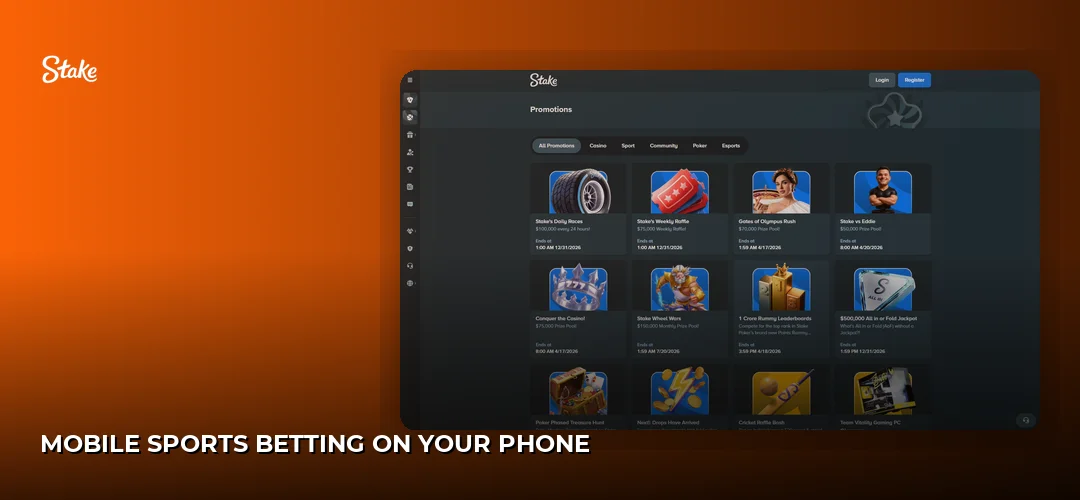
The sportsbook is built for one-handed use: sports rail across the top, live events pinned first, and a bet slip that slides up from the bottom edge as soon as you tap an odd. Selections stack for singles, multiples and system bets, stake entry uses a numeric pad rather than a fiddly text field, and where a cash-out value is offered on a live wager it appears directly on the open bet card. Odds format is set once in settings and applies everywhere. In-play betting is where mobile actually beats desktop, because you are usually watching the match on the same screen or in the room and can react in a second or two. Full market depth, sports coverage and betting mechanics are covered here: Stake sportsbook.
Performance, Data Use And Screen Behaviour
The iOS app is lighter on your connection than the browser build, because it does not re-download interface assets on every launch — over a month of daily play on cellular data, that difference adds up. Neither route works offline: every spin, bet and balance check is a live server call, so a dropped signal pauses play rather than corrupting it, and unresolved rounds resume when you reconnect. Live dealer streaming is the heaviest thing you can do on the platform for both data and battery, and slots sit well below it; Originals are the lightest of all. Portrait is the default everywhere and the only orientation most players need, while landscape gives live tables and multi-leg bet slips more room on larger phones and iPads. On small screens the interface collapses menus into the hamburger icon instead of shrinking text, which keeps everything readable rather than merely visible.
Managing Your Stake Account From Mobile
Everything account-related happens inside the same app or browser session — there is no separate portal. Registration takes an email, a password and a date of birth confirming you are old enough for your province, and the full walkthrough sits here: Stake sign-up process. Log in afterwards with your password plus two-factor authentication, which the operator supports alongside 256-bit encryption. KYC verification is required before you can claim bonus offers, and documents can be photographed and uploaded straight from the phone’s camera.
How Do I Deposit And Withdraw Money On The Stake App?
Open the wallet, pick your method, and either send crypto to the address shown or push a fiat deposit through Interac; withdrawals reverse the same flow and carry no fees. Stake is crypto-first, and mobile is where the wallet flow shines — copy the deposit address or scan the QR code with the exchange app already on your phone and you are funded in seconds.
| Method | Type | Deposit speed | Withdrawal speed | Fees |
|---|---|---|---|---|
| Cryptocurrency (23 coins) | Crypto wallet | Instant | Typically 1–2 hours | None |
| Interac | Fiat | Instant | Method-dependent | None |
| Bank transfer | Fiat | Instant | A few business days | None |
The supported coins are Bitcoin (BTC), Tether (USDT), Ethereum (ETH), Litecoin (LTC), Solana (SOL), Dogecoin (DOGE), Bitcoin Cash (BCH), Ripple (XRP), TRON (TRX), EOS, Binance Coin (BNB), USD Coin (USDC), ApeCoin, Binance USD, Cronos, Dai, Chainlink, The Sandbox, Shiba Inu, Uniswap, Polygon and TRUMP. There are no minimum or maximum crypto deposit limits and no maximum withdrawal limit, though each coin carries a method-dependent minimum payout — 0.00002504 BTC, for example. One tested Bitcoin withdrawal landed in under an hour. Full method-by-method detail is here: Stake deposits and withdrawals.
New Canadian players outside Ontario and Alberta can use promo code CANBET for a 200% deposit match up to C$4,000, and the code works identically on the website and in the app. The minimum deposit to claim is C$100, a C$2,000 deposit unlocks the full C$4,000, and wagering is 40x on deposit plus bonus. It is a single-deposit offer, the code must be entered within 24 hours of creating the account, and the bonus is credited manually after you deposit by contacting live chat — which is the one step people miss on mobile. Wagering contribution follows game house edge, so 4% house edge titles count at the normal rate while lower house-edge games contribute less.
Support, Settings And Closing Your Account
Live chat runs 24/7 from the menu and is the fastest route for anything urgent; email support@stake.com handles slower matters. The same settings area holds the responsible-gambling controls — deposit limits, loss limits, cooling-off periods and self-exclusion — and if you want to close an account from an iPhone, that request also goes through live chat rather than through the App Store. Deleting the app icon removes the app, not the account or the balance, so withdraw your funds first.
Troubleshooting Mobile Problems
Most Stake mobile complaints trace back to a handful of causes, and almost all of them are fixable in under a minute:
- App will not open or keeps closing — force-quit it, reopen, and if that fails delete and reinstall from the App Store. Your account lives on the server, so nothing is lost.
- Nothing loads at all — check whether a VPN or a privacy-DNS profile is active on the phone, because the platform blocks VPN connections. Switch it off and reload.
- Login fails — confirm your two-factor code against a correctly synced clock, and remember that a browser session and the app are separate sign-ins. Use the password reset link before contacting support.
- Deposit not showing — crypto deposits need network confirmations; check the transaction on the blockchain explorer before assuming it failed. For fiat, confirm the Interac transfer actually completed at your bank.
- Withdrawal blocked — you are likely below the method minimum, or KYC is outstanding. Both are shown in the wallet screen.
- Games freeze or show a black screen — clear the browser cache and site data, close background apps, and reload. On weak Wi-Fi, live dealer tables will stutter long before slots do.
Frequently Asked Questions about Stake
Does Stake have a mobile app?
Yes, for iOS. Stake offers a native app for iPhone and iPad, and no Android app at all. Android and desktop players use the mobile or desktop website instead, which carries the same games, sportsbook, wallet and support. Both routes connect to one account with a shared balance.
How do I download the Stake app for Android?
You cannot — the operator publishes no Android app and no official APK. Instead, open the Stake site in Chrome or Samsung Internet, sign in, then use the browser menu to add it to your home screen. That shortcut launches full screen, updates automatically, and needs no unknown-sources permission.
Is there a Stake app for iPhone?
Yes. The iOS app is downloaded from the App Store and is regularly listed as a strength of the platform by independent Canadian reviewers. If it is not offered in your regional store, open the site in Safari and choose Add to Home Screen for an equivalent full-screen web app.
Can I play all games on the Stake mobile app?
Yes. Close to 4,800 titles from 67 providers, including Pragmatic Play, Hacksaw Gaming and BGaming, plus the provably fair Stake Originals, all run on mobile. Nothing is desktop-only. Live dealer tables need the steadiest connection; Originals and slots handle weaker signals far more gracefully.
How do I install the Stake APK?
You should not. No official Stake APK exists, so any file offered under that name comes from a third party the operator did not authorise, and installing it means trusting an unverified package with your login and wallet. Use the mobile site and a home-screen shortcut instead — same features, no risk.
Is the Stake mobile app safe?
The iOS app and the website use 256-bit encryption and support two-factor authentication, and the platform holds a Curaçao eGaming licence (OGL/2024/1451/0918) under Medium Rare N.V. Responsible-gambling tools include deposit and loss limits, cooling-off periods and self-exclusion. The risk lies in unofficial APK files, not in the operator’s own channels.
Can I deposit and withdraw on the Stake app?
Yes, both. Fund the account instantly with Interac or any of 23 cryptocurrencies including Bitcoin, Tether, Ethereum, Litecoin and Solana. Crypto withdrawals typically arrive within one to two hours and bank transfers take a few business days. There are no deposit or withdrawal fees and no maximum withdrawal limit.
Why is the Stake app not working?
Check for an active VPN first, since Stake blocks VPN connections outright. After that, force-quit and reopen the app, clear your browser cache if you use the web version, verify your two-factor code, and confirm you are not in Ontario or Alberta, where the site is unavailable. Live chat runs 24/7.
Grab your phone, set up the account, and enter promo code CANBET within 24 hours to line up the 200% match up to C$4,000 before your first deposit.