
How to Contact Stake Support from Canada
Getting stuck mid-session is annoying, and knowing exactly where to knock saves you the guesswork. Stake Casino runs support around the clock through live chat and email, and this independent review walks you through every channel, what to have ready before you open a ticket, and how complaints actually get escalated when a first reply doesn’t settle things.
What Support Options Does Stake Offer?
Stake Casino offers four ways to get help: live chat, email at support@stake.com, an on-site community chat, and a help centre with FAQ articles. Support runs 24/7, and live chat connects you immediately to an agent through the floating icon in the bottom-right corner of the site. There is no phone line.
That structure suits a crypto-first platform where deposits are instant and withdrawals move fast — you rarely need a callback, you need someone looking at a transaction hash right now. Live chat handles the bulk of day-to-day issues: a deposit that hasn’t credited, a bonus that needs manual activation, a question about verification. Email works better for anything that needs attachments or a paper trail, such as document submission or a formal complaint. The on-site community chat is a social space where other players and moderators hang out; it is useful for quick sanity checks, but account-specific problems belong in private channels, never in a public room where your details are visible to everyone.
English is the working language of Stake support, which covers most Canadian players comfortably. Because the operator is offshore rather than domestically licensed, there is no dedicated provincial hotline or Canadian office to visit — the same global support desk serves players from Halifax to Victoria.
| Channel | Best used for | Availability |
|---|---|---|
| Live chat | Deposits, bonus credit, urgent account questions | 24/7, immediate connection to an agent |
| Email (support@stake.com) | Documents, disputes, anything needing a record | 24/7 inbox, replies by email |
| On-site community chat | General questions, chatting with other players | Open while you are logged in |
| Help centre / FAQs | Self-service answers on accounts and payments | Always available, no login needed |
How Do I Use Stake Live Chat?
Click the floating chat icon in the bottom-right corner of any Stake page and you are connected straight to an agent. It works whether you are logged in or browsing as a guest, though signing in first lets the agent see your account and skip the identity back-and-forth. Live chat is staffed 24/7.
Live chat is also the channel that actually triggers your welcome offer. The promo code CANBET gives new Canadian players outside Ontario and Alberta a 200% deposit match up to C$4,000 with a C$100 minimum deposit and 40x wagering on deposit plus bonus. The code must be entered within 24 hours of creating your account, and the bonus is credited manually — you deposit first, then message live chat and ask for it. KYC verification is required to claim bonus offers, so expect the agent to check your account status before applying anything. Full terms live on the bonuses page: /bonuses/.
What to Prepare Before You Open a Chat
A two-minute prep saves ten minutes of typing. Have this ready:
- Your Stake username — not your email, the username the account trades under
- The transaction ID or hash if the issue involves a crypto deposit or withdrawal
- The exact amount and currency, plus the network you sent on (a Tether transfer on the wrong chain is a different conversation than a delayed one)
- The time the action happened, in your local time zone, so the agent can match it against server logs
- A screenshot on your clipboard if the problem is visual — an error message, a stuck spinner, a balance that doesn’t add up
- Whether you already tried the obvious fixes: refresh, log out and back in, different browser
Chat Etiquette That Gets You Answers Faster
Agents work several conversations at once, so front-load the detail: one message with the full picture beats six one-liners. State the problem, the amount, and what you want to happen. Never paste a private key, a seed phrase, or your password into chat — no legitimate agent will ever ask for them, and anyone who does is not from Stake. Public community chat deserves the same caution: keep balances, wallet addresses and verification details out of it. If an agent needs to escalate, ask for a reference you can quote later; it turns a scattered thread into a traceable case.
How Do I Reach Stake by Email?
Send email to support@stake.com. That address handles general enquiries, account questions, document submission and formal complaints alike. Write a subject line that states the issue and your username, keep the body to the facts, and attach evidence directly rather than linking to third-party file hosts.
Email is the right channel whenever the matter needs to be documented. A dispute over a settled bet, a request for account closure, a verification file that chat can’t accept — all of these belong in writing where both sides keep a copy. Structure the message so someone reading it cold understands it: your username, the date and time of the event, the amount and currency involved, what you expected to happen, what actually happened, and what resolution you are asking for. If you already discussed it in live chat, say so and include any reference the agent gave you.
Sending Documents Safely
Verification is part of the process at Stake, and KYC verification is required before bonus offers are released. When you submit documents, send them only to the official support address or upload them through the account area the operator points you to — never to an address someone volunteers in a public chat room. Send clear, uncropped images or PDFs, make sure every corner of the document is visible, and confirm receipt rather than assuming silence means success. If you are unsure which files are needed for your situation, ask in live chat first so you send the right thing once instead of the wrong thing three times.
What Support Do Canadian Players Get?
Canadian players use the same 24/7 English-language live chat and support@stake.com email as everyone else — there is no separate Canadian desk, phone number or provincial office, because Stake is an offshore operator rather than a domestically licensed one. Support hours are continuous, so your time zone never matters.
That last point is genuinely useful across a country spanning six time zones. A player in St. John’s opening chat at 2 a.m. gets the same immediate connection as someone in Vancouver at lunchtime. Since the desk never closes, there is no queue that builds up overnight and no morning backlog to sit behind.
Availability, however, is not uniform across the country. Stake operates under a Curaçao eGaming licence (OGL/2024/1451/0918) issued under the Curaçao Gaming Control Board framework, with a secondary Anjouan licence, run by Medium Rare N.V. It holds no Canadian regulatory licence. Players in Ontario and Alberta are not accepted: AGCO and iGaming Ontario registration is pending with a licensed Stake.ca planned for 2026, and Alberta’s regulated market goes live on July 13, 2026 with Stake not currently on the AGLC list. If you contact support from either province, expect that to be the first thing raised. The minimum age is 19 in most provinces and 18 in Quebec and Manitoba, and support will verify age during KYC.
Payment Questions Canadian Support Handles Most
Stake is crypto-first, and most Canadian payment tickets involve wallets rather than banks. The platform supports 23 cryptocurrencies, including Bitcoin (BTC), Tether (USDT), Ethereum (ETH), Litecoin (LTC), Solana (SOL), Dogecoin (DOGE), Bitcoin Cash (BCH), Ripple (XRP), TRON (TRX), EOS, Binance Coin (BNB), USD Coin (USDC), ApeCoin, Binance USD, Cronos, Dai, Chainlink, The Sandbox, Shiba Inu, Uniswap, Polygon and TRUMP. Interac is the single fiat option for Canadians, alongside bank transfer for withdrawals. There are no minimum or maximum crypto deposit limits and no deposit or withdrawal fees, deposits are instant, crypto withdrawals typically arrive within 1–2 hours, and bank transfers take a few business days. Minimums are method-dependent — 0.00002504 BTC, for example — and there is no maximum withdrawal limit. Method-by-method detail sits here: /payments/.
Before you message support about a pending withdrawal, check the elapsed time against those windows. A crypto payout that is forty minutes old is behaving normally; one sitting for a day is worth a chat. For bank transfers, count business days rather than calendar days.
Which Questions Can You Answer Yourself?
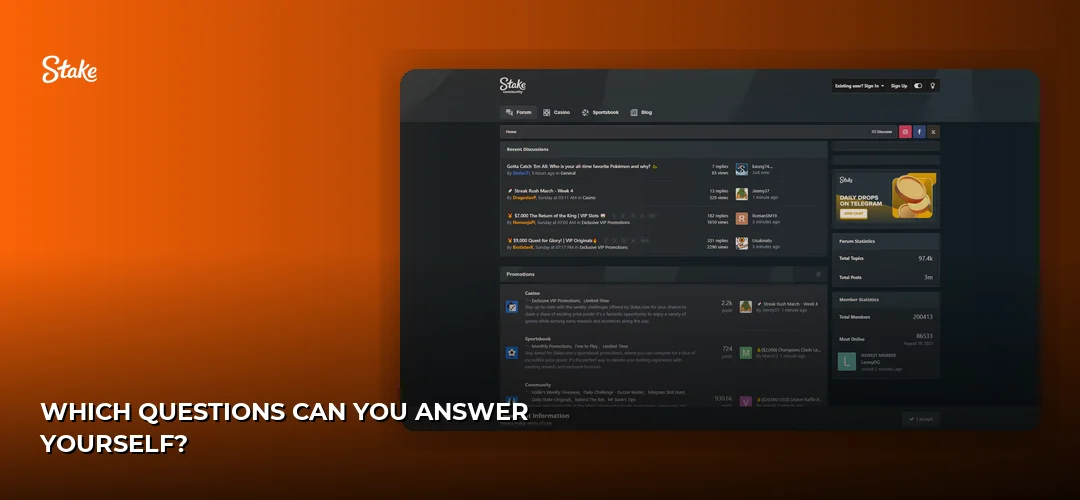
Stake maintains a help centre with FAQ articles covering account management, payments and technical issues. Reading the relevant article first often resolves the problem in under a minute and, when it doesn’t, leaves you with much sharper information to hand the agent — which is the difference between a five-minute chat and a fifty-minute one.
Self-service tends to cover the recurring stuff well: how account settings and security options work, what verification involves, how deposits and withdrawals are processed for each method, and what to do when a game won’t load. On the technical side, the fixes that solve most problems are unglamorous — clear your browser cache, disable extensions that block scripts, switch browsers, or try a different network connection. Stake secures accounts with 256-bit encryption and offers two-factor authentication; if you have 2FA enabled and lose access to your authenticator, that is a support ticket rather than a self-service fix, and you should raise it before you are locked out mid-session.
The operator also publishes responsible-gambling tools you can set yourself without contacting anyone: deposit limits, loss limits, cooling-off periods and self-exclusion. If your reason for contacting support is that your play has stopped feeling fun, start here: /responsible-gambling/.
Where Does Stake Show Up on Social Media?
Stake maintains a presence across social platforms and hosts an on-site community chat where players and moderators talk in real time. Social channels are for announcements and community conversation — not account support. Anything involving your balance, your identity or your money goes through live chat or support@stake.com instead.
The practical rule is simple: no legitimate Stake representative will contact you first through a social platform or a direct message asking for credentials, wallet access or a payment. Impersonation accounts follow every popular casino brand, and they thrive on players who are frustrated and looking for a shortcut. If someone approaches you claiming to resolve a pending withdrawal or unlock a bonus, treat it as a scam and verify through the on-site chat icon. Community forums and player threads can be genuinely handy for understanding how a feature works or whether an outage is widespread, but crowd-sourced advice is not a substitute for an agent with access to your account.
How Do I File a Complaint with Stake?
Start with live chat and state clearly that you are raising a complaint rather than a general question. If the agent cannot resolve it, put the same complaint in writing to support@stake.com with your username, dates, amounts and the outcome you are seeking, then keep every reply for the record.
A complaint travels further when it is boring and precise. Describe the sequence of events in order, attach screenshots and transaction references, and avoid mixing three unrelated grievances into one message — separate issues get separate threads and separate outcomes. Ask directly for a reference number and for confirmation of which team the matter has been passed to. If a reply doesn’t answer the point you raised, quote the specific sentence and ask again rather than restarting the whole story.
Escalation and External Options
The escalation ladder at Stake runs from the live chat agent, to the email support team, to the operator’s internal complaints handling. If the internal route is exhausted and you remain unsatisfied, the licensing authority is the external avenue: Stake is licensed by Curaçao eGaming under the Curaçao Gaming Control Board master licence (OGL/2024/1451/0918), with a secondary Anjouan licence, and operated by Medium Rare N.V., which launched the platform in 2017. Because there is no Canadian licence behind the site, provincial regulators such as AGCO or AGLC have no jurisdiction over a complaint about Stake — that is a real consequence of playing on an offshore platform, and it is worth knowing before you deposit rather than after. More background on this review and how it is put together: /about/.
Frequently Asked Questions about Stake
Is Stake Legal in Canada?
Stake operates offshore under a Curaçao eGaming licence (OGL/2024/1451/0918) with a secondary Anjouan licence, not a Canadian one. It accepts players in most provinces but not Ontario, where AGCO registration is pending with a licensed Stake.ca planned for 2026, or Alberta, whose regulated market opens July 13, 2026. Minimum age is 19 in most provinces, 18 in Quebec and Manitoba.
How Do I Create a Stake Account?
Registration is handled on the operator’s site: you provide your details, confirm you meet the minimum age for your province, and enter promo code CANBET within 24 hours of account creation if you want the welcome offer. KYC verification is required before bonus offers are released. Step-by-step guidance sits here: /registration/.
What Payment Methods Does Stake Support in Canada?
Interac is the single fiat deposit option, joined by 23 cryptocurrencies including Bitcoin, Tether, Ethereum, Litecoin, Solana, Dogecoin, Bitcoin Cash, Ripple, TRON, EOS, Binance Coin and USD Coin, with bank transfer available for withdrawals. There are no deposit or withdrawal fees, deposits are instant, and crypto payouts typically arrive in 1–2 hours.
How Do I Claim the Stake Welcome Bonus?
Enter promo code CANBET within 24 hours of creating your account, deposit at least C$100, then message live chat and ask for the bonus to be credited — it is not automatic. The offer is a 200% match up to C$4,000 with 40x wagering on deposit plus bonus, single deposit only, and is unavailable in Ontario and Alberta.
Now that you know which channel solves which problem, the next step is having an account to ask about.